
Best AI Tools for Beginners: A Complete Guide to Get Started
The digital landscape is evolving at an incredible pace, and at the heart of this transformation is Artificial Intelligence. For students, career changers, and those just starting their journey in the digital world, understanding AI tools for beginners is no longer just an advantage—it is a necessity. At SkillPath Hub, we believe that everyone should have access to the skills that build the future. Whether you want to write better essays, design stunning graphics, or learn how to code, AI can be your ultimate companion.
In this guide, we will explore the most accessible and powerful free AI tools available today. We will break down what they are, how they work, and how you can start using them to boost your productivity and creativity right now.
What Are AI Tools?
Before we dive into the specific tools, let’s simplify what we mean by “AI tools.” Think of an AI tool as a highly intelligent digital assistant. Unlike traditional software that only does exactly what you click, AI tools can “understand” instructions, recognize patterns, and generate new content based on the data they have learned.
For a beginner, this means you don’t need to be an expert in a specific field to get professional results. You don’t need to be a graphic designer to create a logo, or a professional editor to write a polished report. These AI tools for digital skills bridge the gap between your ideas and the final product.
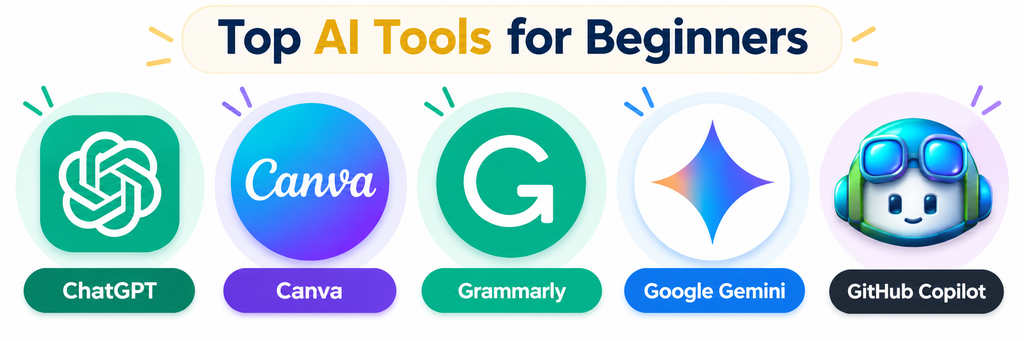
Best AI Tools for Beginners
There are thousands of AI applications out there, but for someone just starting, these five tools offer the best balance of power and ease of use.
1. ChatGPT: The Ultimate Conversational Assistant
ChatGPT is perhaps the most famous of all AI writing tools. Developed by OpenAI, it is a chatbot that can answer questions, write stories, explain complex math problems, and even help you brainstorm ideas for a new business.
Main Uses: Writing, research, and learning.
Beginner-Friendly Example: Imagine you are a student struggling to understand “Photosynthesis.” Instead of reading a long textbook chapter, you can ask ChatGPT: “Explain photosynthesis to me like I’m a 10-year-old.” It will give you a simple, easy-to-understand breakdown instantly.
2. Canva: AI-Powered Design for Everyone
Canva has long been a favorite for non-designers, but its new “Magic Studio” features have turned it into one of the best AI design tools on the market. It uses AI to help you generate images from text, remove backgrounds with one click, and even write copy for your social media posts.
Main Uses: Social media posts, presentations, and posters.
Beginner-Friendly Example: If you need a picture of a “futuristic library in space” for a school project but can’t find one online, you can use Canva’s “Text to Image” tool. Just type the description, and the AI will create a unique image for you in seconds.
3. Grammarly: Your Personal Writing Coach
Grammarly has evolved far beyond a simple spell-checker. It is now an AI-native productivity platform that helps you adjust your tone, fix complex grammatical errors, and ensure your writing is clear and professional. It is one of the most essential AI tools for students who want to improve their academic writing.
Main Uses: Editing, proofreading, and tone adjustment.
Beginner-Friendly Example: If you are writing an email to a potential employer, Grammarly can tell you if your message sounds “too casual” and suggest ways to make it sound more “professional” and “confident.”
4. Google Gemini: The Collaborative Research Partner
Google Gemini (formerly Bard) is Google’s answer to ChatGPT. It is deeply integrated with Google Workspace (Docs, Gmail, Drive), making it a fantastic tool for collaboration. Its new “Canvas” feature allows you to work side-by-side with the AI on documents and code in real-time.
Main Uses: Real-time research, collaborative writing, and data organization.
Beginner-Friendly Example: You can ask Gemini to “Find the top 5 digital skills needed in 2026 and put them into a table in a Google Doc.” It will search the live web and organize the information for you instantly.
5. GitHub Copilot: The Beginner’s Coding Companion
For those interested in technical AI tools for digital skills, GitHub Copilot is a game-changer. It acts as an “autocomplete” for code. As you type, it suggests the next lines of code, helping you learn programming logic faster.
Main Uses: Learning to code, debugging, and software development.
Beginner-Friendly Example: If you are learning HTML and want to create a button, you can start typing <button> and Copilot will suggest the rest of the code needed to make that button work and look good.
Benefits of Using AI Tools
- Save Time: Tasks that used to take hours, like researching a topic or formatting a document, now take minutes.
- Overcome “Blank Page” Syndrome: AI can give you a starting point or an outline so you never have to stare at a blank screen again.
- Personalized Learning: AI tools can act as a 24/7 tutor, explaining concepts in ways that match your learning style.
- Professional Quality: Even as a beginner, you can produce work that looks and sounds professional.
How to Choose the Right AI Tool
With so many options, how do you choose? Follow these three simple steps:
- Identify Your Goal: Do you need to write, design, or code? Choose a tool specialized for that task.
- Check the Cost: Most of the tools mentioned above offer excellent free versions. Start with free AI tools before committing to a paid subscription.
- Test the Interface: Some tools feel more natural to use than others. Try a few and see which one fits your workflow best.
Tips for Using AI Tools Effectively
To get the most out of these AI tools for beginners, keep these tips in mind:
- Be Specific with Prompts: The more detail you give the AI, the better the result. Instead of “Write a story,” try “Write a 200-word story about a robot learning to paint.”
- Always Fact-Check: AI can sometimes make mistakes (called “hallucinations”). Always double-check important facts and dates.
- Add Your Personal Touch: AI is a great assistant, but it shouldn’t replace your unique voice. Use the AI’s output as a draft and then edit it to make it your own.
Frequently Asked Questions
1. Are these AI tools really free to use?
Yes, most major AI tools like ChatGPT, Canva, and Gemini offer a “freemium” model. This means you can use the basic features for free, while advanced features require a monthly subscription.
2. Do I need to know how to code to use AI?
Not at all! Most AI tools for beginners are designed to be used with simple English commands (prompts). You don’t need any technical background to get started.
3. Can AI replace my job or studies?
AI is a tool to enhance your work, not replace it. It helps you work faster and smarter, but it still needs your creativity, critical thinking, and human perspective to be truly effective.
4. Which AI tool is best for students?
For general research and writing, ChatGPT and Grammarly are the best AI tools for students. For creative projects, Canva is the top choice.
Conclusion
Starting your journey with AI tools for beginners is one of the best investments you can make in your future. These tools are designed to empower you, helping you learn faster and create more than ever before. Whether you are a student at SkillPath Hub or a professional looking to upskill, the key is to start small, stay curious, and keep experimenting.
The future belongs to those who know how to work alongside AI. Which tool will you try first today?